Setup Koha LMS and Library Radar
About Koha
Koha is an open-source integrated library system (ILS) or library management system (LMS). It is designed to help libraries efficiently manage their collections, circulation, and other library functions. Libraries, particularly smaller or community libraries, often use Koha as a cost-effective and flexible solution for their automation needs.
Key Features of Koha
- Cataloging: Koha allows libraries to create and manage their bibliographic records, including information about books, journals, and other library materials.
- Circulation: It handles the circulation of library items, including checkouts, returns, and renewals.
- OPAC (Online Public Access Catalog): Koha offers a user-friendly online catalog for patrons to search and access library resources, place holds, and manage their accounts.
- Acquisitions: Libraries can use Koha to manage the process of ordering, receiving, and invoicing library materials.
- Serials management: It supports the management of periodicals, journals, and other serial publications.
- Reporting: Koha provides tools for generating reports and statistics to help libraries track usage and collection data.
- Interlibrary loan: It can facilitate interlibrary loan requests and resource sharing between different libraries.
Koha is open-source software, which means it is freely available for libraries to download, use, and customize to meet their specific needs. This open-source nature allows libraries to save on software licensing costs and tailor the system to their unique requirements. Koha has a community of developers and users who contribute to its ongoing development and support.
Create patron In Koha
Follow the link to create patron in koha.
Assign rights to patron
Follow KOHA guide to assigh rights
To be able to use KOHA SIP,enable using the following koha latest commands
In the terminal where you installed koha ,run the commands assuming the instance to be systemonelibrary
koha-sip --enable systemonelibrary
koha-sip --start systemonelibrary
koha-sip --status systemonelibrary
Set up In Library Radar
Follow the Steps
If you are able to access KOHA From the machine you installed LIBRARY RADAR system then you are good to start setting up.
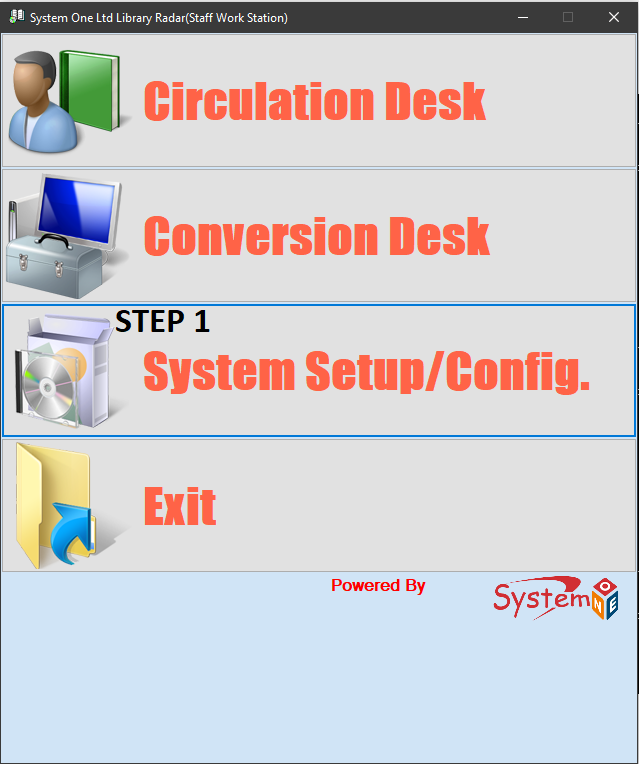
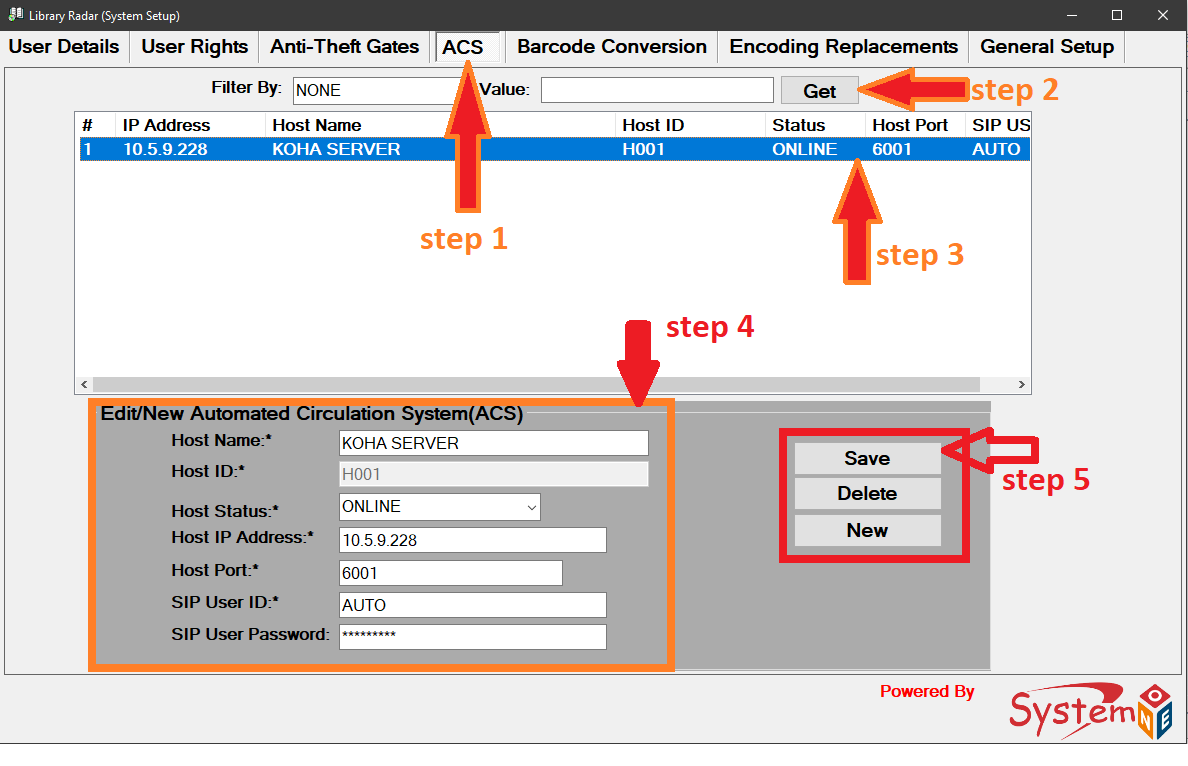
- Host Name: The name of the server .
- Host ID: Record Host ID
- Host Status : ONLINE or OFFLINE .
- Host IP Address: Koha IP Address
- Host PORT: SIP2 koha port default to 6001
- User ID: Koha Patron You created in KOHA
- User Password: Koha Patron Password.
- Save: Save.